


0
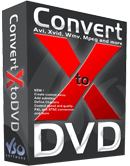
Features :
Video Converter
- Convert videos to DVD and watch on any DVD player
Convert Avi to DVD, DivX to DVD, WMV to DVD, RM to DVD, YouTube to DVD etc. . . . - Burn automatically to DVD after video conversion
- Excellent quality and fast converter
Getting started open the program and it will look like this:

Now of course you want to start converting right away so all your settings should be alright since you configured them more less during installation, push the green button that has a white "+" in the middle of it (circled in the picture)
Now its time to locate and add your file:

Notice that the "Files of Type" drop box says "All Supported Files" make sure it stays like that so you know what files the program can handle and which ones it cant!
Before we customize we must know what the different "DVD Options" mean:

"Loop Playback" is just that, a repeate or if you have multiple movies then the first movie will play as soon as the last one is done.
"Play titles one after another" is used when you have multiple videos on one dvd and you want them to play one after another that way you dont have to go back to the title screen and choose the next video to play (very essential, but does take a min or so to transition between tracks so it will appear your dvd is lagging or stopped but it really hasnt its just stopping that clip and starting the other one where that one left off )
“Skip root menu initially” is when a title is selected from the title (main) menu, it will play the title directly and skip the root menu.
“Return to title menu after titleset playback” is the option when a title finishes playing, the dvd will go back to the title (main) menu instead of the root menu, although this option is ignored if there is no title menu.
“Don’t create title menu for single video” with this option selected a title menu will not be created with one video.
Now to finish customizing and preview the video (actually before you convert all your previewing is the title screen):

Converting:

This concludes my ConvertXToDVD guide, i hope its understandable to all and i hope everyone sees how strong this easy program is!! I will be more than glad to answer any questions if you have any and will update if people want more information i didnt cover so please dont be shy to ask questions!!!
Almost forgot, you dont have the program do you? You need it dont you? Well lucky for you SLUGGER posted the most current version in Direct Download form on here a while ago so go and download it now!!!
Download ConvertXtoDVD
This is the Serial Key :
Credits to www.Google.com for the Images



0Awesome Comments!